 Three Today
A free app from Exo AI
Three tasks. Then the day counts.
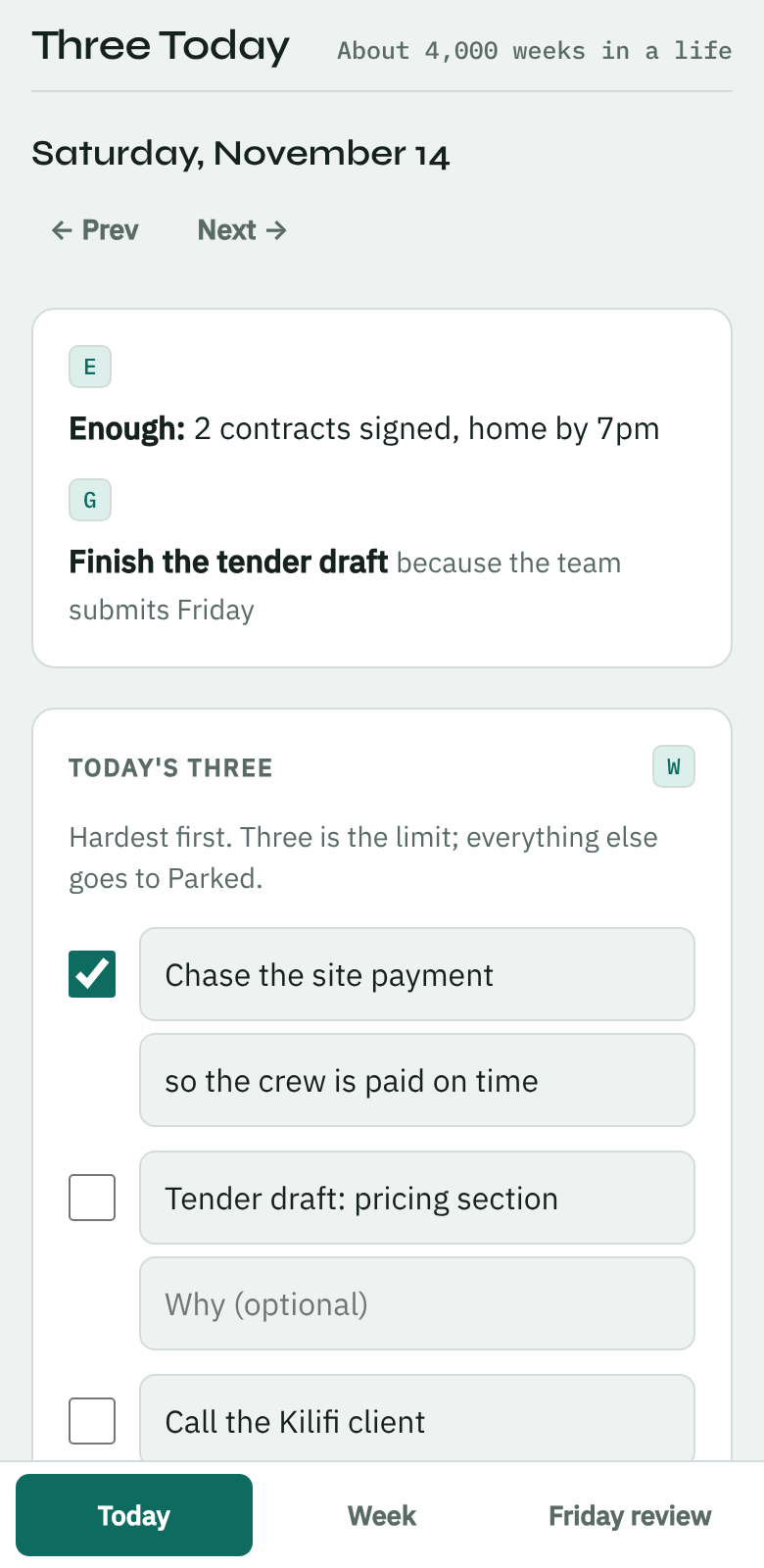
Three Today is a daily checklist built on five books about success. You set the week on Sunday, pick three tasks each morning and review on Friday. The app carries the rest.
- Free
- No account
- Works offline
- Your list stays on your phone
How it works
One week, three short sittings.
About half an hour a week in total. The rest of the time the list is three lines long.
- Sunday · 15 minutes
Set the week
Write what "enough" looks like this month. Pick one or two goals and the reason for each. Choose one thing to give away this week, and the day you will do it.
- Every morning · 5 minutes
Pick three
Three tasks, the hardest first, with a line on why it matters. Everything else goes to Parked. When the three are done, the day counts.
- Friday · 10 minutes
Review
Five questions, one per book. The app has already counted how many days you kept to three and laid out your goals beside the questions.
The five books
Each book becomes one rule on the list.
Every line in the app carries the letter of the book it comes from, so you always know why it is there.
| Book | Rule on your list | |
|---|---|---|
| E | EnoughJohn C. Bogle | Decide what is enough this month, so the list stops growing to chase more. |
| G | Redeeming Your GoalsJordan Raynor | Every goal has a reason written next to it. |
| W | Four Thousand WeeksOliver Burkeman | A day holds three real tasks. Park the rest without guilt. |
| M | Man's Search for MeaningViktor E. Frankl | Tie the hardest task to a why. When the day breaks, ask what you can still choose. |
| D | The Money DilemmaFrank Giustra | One giving task goes on the list every week, with a day. |
What it does on its own
You write three lines. It handles the bookkeeping.
- Opens on today's list, and on the week setup on Sundays.
- Carries yesterday's unfinished tasks into Parked.
- Ticks "picked three" and "why written" as you type.
- Shows your giving task on the day you chose.
- Offers the review on Friday, with the week already counted.
- Copies your "enough" line into next week's setup.
- Counts your weeks against about four thousand, if you give a birth year.
- Opens without a signal once you have visited it.
Privacy
Your list never leaves your phone.
There is no account and no server behind the app. What you type is saved in your own browser and nowhere else. We cannot read it, and nobody else can either.
That has one cost: the list does not follow you between devices, and clearing your browser's data or deleting the app erases it.
Install
Put it on your home screen.
It installs straight from the browser. There is nothing to download from an app store.
Android
- Open the app in Chrome.
- Tap Install on the banner, or the menu, then Add to Home screen.
- Open it from the new icon.
iPhone
- Open the app in Safari.
- Tap Share, then Add to Home Screen.
- Open it from the new icon.